▣
Screen Message
Show a clear message on the client's screen during a service session.
UNLOCKER PRIVACY is a lightweight PC tool designed to display a controlled service message on a client's screen while a remote maintenance session is in progress.
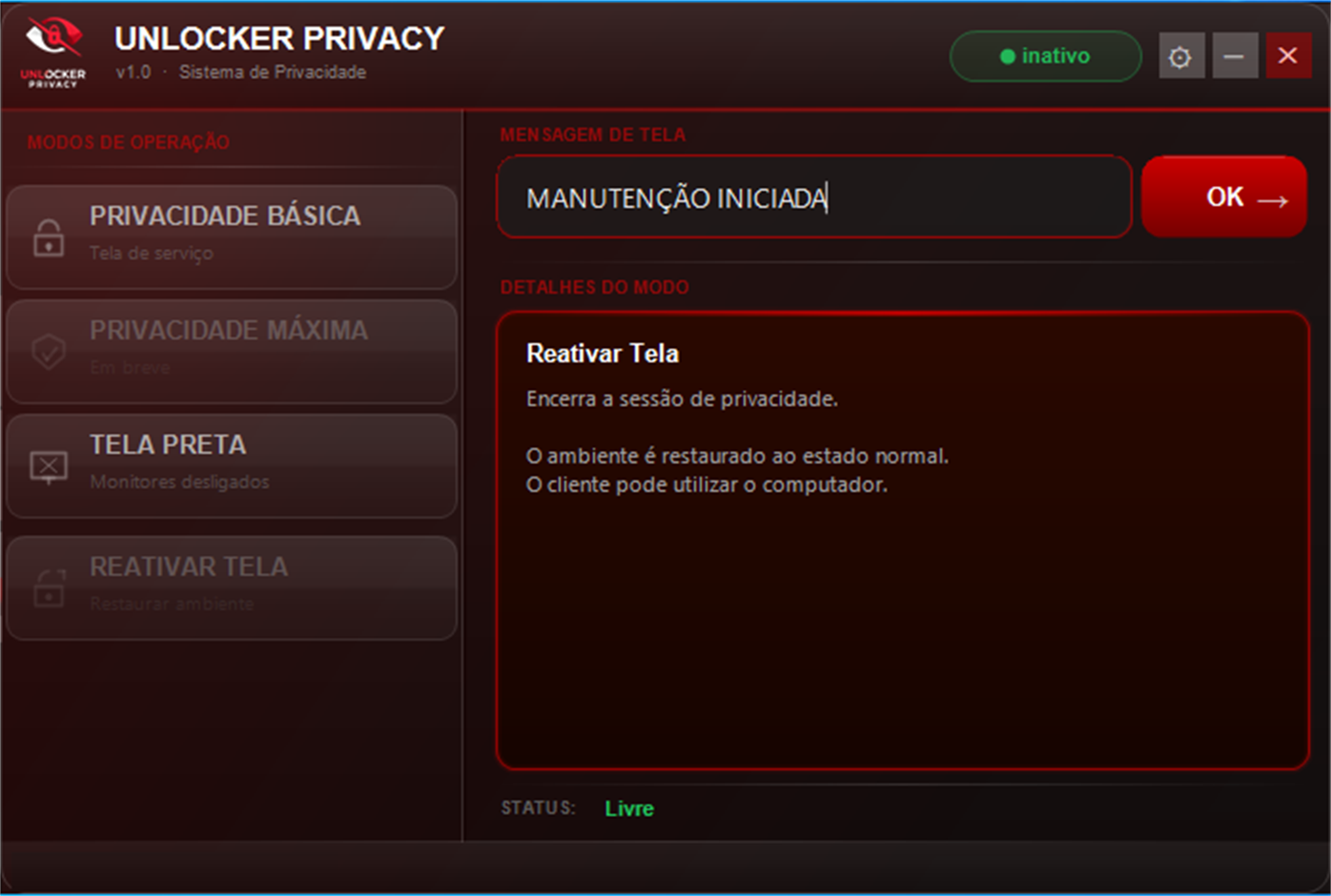
During a service session, the client computer can display a dedicated message such as “MAINTENANCE STARTED” while the remote service is being completed.
A focused tool instead of an overloaded remote-access suite.
Show a clear message on the client's screen during a service session.
Put the client environment into a dedicated maintenance state.
Return the environment to its normal state when the service is complete.
Manage the session from a compact Windows desktop interface.
Três formas de proteger a sessão, do básico ao máximo.
Exibe a mensagem de serviço em todos os monitores. A barra de tarefas do Windows continua acessível — ideal para atendimentos rápidos.
Une a mensagem de serviço com o desligamento dos monitores ao mesmo tempo, em dupla camada de proteção. Um único atalho encerra as duas.
Desliga todos os monitores físicos instantaneamente, sem exibir mensagem — a opção mais rápida e discreta.
Ative a tela de serviço sem pagar nada. Atenção: ao apertar a tecla Win, a barra de tarefas e os programas abertos ainda aparecem.
Para privacidade total, os modos pagos — como a Tela Preta — apagam tudo da tela.
Baixar grátisGet the latest Windows version and start your next service session.
Download Installer →Choose the credit package that matches your usage.
View Credit Packages →Simple, straightforward pricing. The larger package has the lowest price per credit.
1 credit = 1 PC with privacy active for 12 hours. After that, use another credit.